
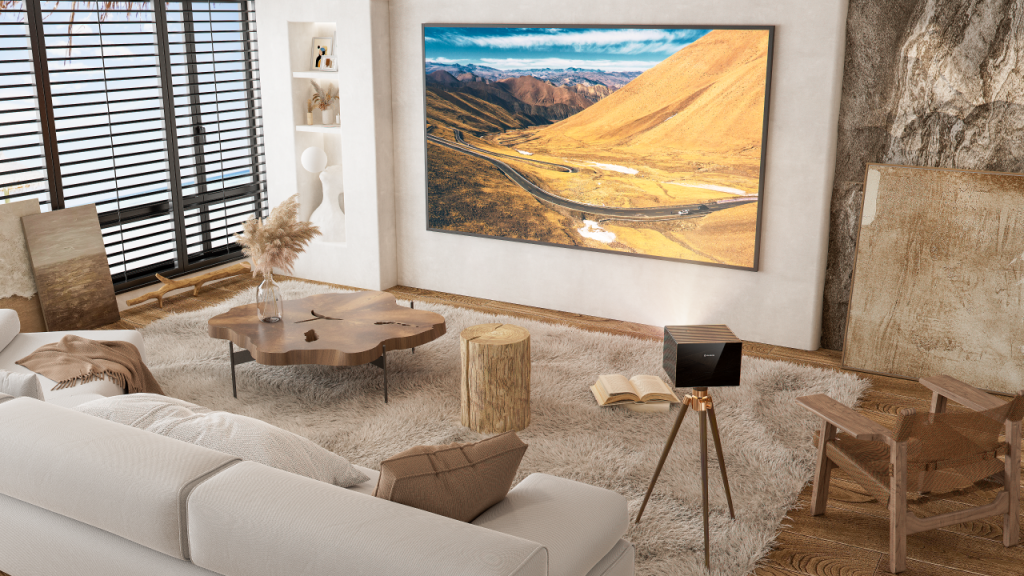
Anyone who has ever missed a crucial shot in a fast-paced multiplayer match knows the sting of digital defeat. For years, players blamed their reflexes or their internet connection, but often, the display hardware was the secret culprit. The conventional wisdom in the community was strict: if you want to climb the competitive ranks, you buy a desktop monitor. If you want a massive, cinematic movie experience, you throw an image on the wall. Combining the two was considered a recipe for input lag disaster.
However, display technology has advanced significantly. Finding a piece of equipment that delivers a wall-filling image without penalizing your reaction time is entirely possible today. If you are searching for the Best 4K projector to anchor your entertainment room, you need to look beyond just the pixel count and understand the core metrics that dictate speed.
The Processing Penalty
The primary hurdle in large-format gaming is signal processing. When a display receives a high-resolution signal packed with complex lighting and color data, an internal chip has to analyze that data, scale the image, and apply color corrections before shooting it through the lens.
When you sit down to watch a movie, this heavy computational lifting is fantastic because it makes the picture look incredibly vibrant. But computation takes time. This microscopic delay between your console rendering the frame and the lens actually displaying it is known as input lag. In standard movie modes, this lag can easily hover around 80 to 100 milliseconds. In a fast-paced racing game or a first-person shooter, a 100-millisecond delay means you are reacting to things that happened in the past.
Modern hardware solves this by incorporating a dedicated bypass mode. This mode strips away the heavy, cinematic post-processing, creating a direct, unhindered lane from the HDMI port to the light source. This bypass can push a dense, high-resolution image to the wall with an input lag as low as 16 milliseconds—a threshold where even seasoned competitive players cannot feel the delay.
Matching Latency to Your Playstyle
Not every video game requires single-digit input lag. Your hardware needs should align directly with the types of games you actually play. Paying a premium for ultra-low latency might not make sense if you exclusively play slow-paced strategy games, but it is absolutely mandatory if you spend your evenings in competitive ranked lobbies.
| Game Genre | Examples | Recommended Maximum Input Lag | Ideal Refresh Rate |
| Competitive FPS | Valorant, Counter-Strike | Under 16 ms | 120Hz or 240Hz |
| Fighting Games | Street Fighter, Tekken | Under 16 ms | 60Hz or 120Hz (Highly stable) |
| Action & Racing | Forza, God of War | Under 30 ms | 60Hz or 120Hz |
| Story-Driven RPGs | The Witcher, Baldur’s Gate | Under 50 ms | 60Hz |
The HDMI 2.1 Requirement
You cannot discuss high-speed, high-resolution gaming without addressing the physical cables connecting your hardware. Pushing ultra-high-definition graphics at 120 frames per second requires an astronomical amount of data.
Older HDMI 2.0 ports act like a narrow pipe; they simply cannot pass enough data through fast enough to support modern console outputs without heavily compressing the colors and ruining the image quality. To get the uncompressed, high-speed experience, HDMI 2.1 is an absolute requirement. It acts as a massive data highway, offering 48 Gbps of bandwidth.
This bandwidth is what enables a true Gaming projector to utilize Variable Refresh Rate (VRR). VRR forces the display to synchronize its frame rate dynamically with the graphics card of your console or PC. If your frame rate dips during a heavy on-screen explosion, the display slows down to match it, completely eliminating the ugly “screen tearing” effect. It also supports Auto Low Latency Mode (ALLM), which detects your console and instantly switches the hardware into its fastest processing mode automatically.
Laser Illumination and Contrast
Spotting an enemy hiding in a dark corner requires incredible contrast. Historically, achieving deep blacks and bright highlights required dynamic irises or heavy software manipulation, both of which add to input lag.
Today, savvy buyers look strictly at laser light sources. Because lasers can modulate their light output almost instantly, they provide massive dynamic contrast without relying on slow software processing. Beyond that, pure RGB lasers cover an ultra-wide color space natively. This means you get the intensely saturated, vivid colors required by modern high-dynamic-range games without any added computational delay. You get the visual beauty without the processing penalty.
The Pre-Flight Setup Checklist
Even with the perfect hardware, a sloppy room setup can easily ruin your experience. To ensure you are getting every ounce of speed and visual clarity out of your system, you must manage your physical environment.
- Ditch the Bluetooth Audio: Wireless headphones are convenient, but standard Bluetooth introduces its own massive audio latency. Always hardwire your headset into your controller or use a dedicated 2.4GHz gaming dongle to keep your audio synced perfectly with the fast visuals.
- Invest in an ALR Screen: Do not project onto a plain white wall. An Ambient Light Rejecting (ALR) screen is mandatory for playing in a living room. It directs the light straight back to the sofa and absorbs stray room light, preserving the contrast you need to see details in dark environments.
- Hardwire the Network: Ultra-low display latency means nothing if your network is lagging. Keep your console or PC hardwired via Ethernet to avoid sudden lag spikes during matches.
- Check the Cable Length: If your console is more than 10 feet away from the lens, standard copper HDMI cables will struggle to carry a high-bandwidth signal. You must use an Active Optical Cable (AOC) to carry that much data over a long distance without flickering or dropping out.
The days of sacrificing screen size for speed are effectively over. By prioritizing high-bandwidth inputs, low-latency bypass modes, and instant laser illumination, you can completely transform a blank wall into a massive, competitive advantage. Understanding the technical metrics allows you to build a setup that is as fast as it is visually stunning.

