
I have a folder on my desktop called “bad downloads.” It has 47 files in it.
Each one is a 3D model I downloaded from a site that looked promising, spent time importing, realized was unusable, and could not bring myself to delete because I had spent fifteen minutes wrestling with the converter first.
The mesh with the inverted normals. The character model with a rig that only worked in a software version from 2019. The furniture set where every piece had a different scale. The plant model that looked photorealistic in the thumbnail and arrived as a pile of triangulated chaos in Blender.
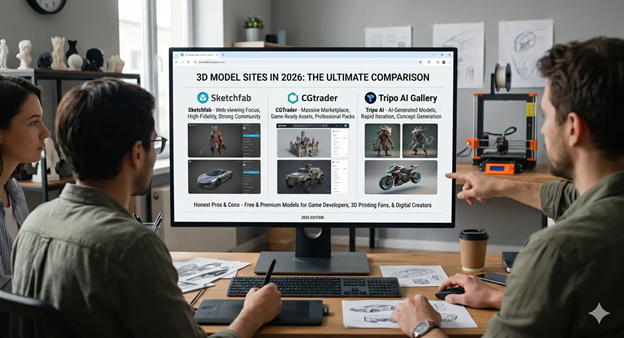
After years of working with 3D assets across game projects, renders, and print jobs, I have learned which platforms are actually worth opening. Three come up more than any others in creator discussions right now: Sketchfab, CGTrader, and Tripo AI Gallery.
This review is not a side-by-side spec comparison. It is an honest account of what each platform does well, where it will frustrate you, and which type of project each one actually serves.
Quick Comparison
| Website | Best For | Free Models | Formats | Industries |
| Sketchfab | Previewing in real-time 3D | Yes (CC licensed) | OBJ, FBX, glTF | All |
| Tripo AI Gallery | Massive free library, all styles | Yes, thousands | STL, FBX, GLB, OBJ, USDZ | All industries |
| CGTrader | Rigged game-ready characters | Yes (156k+ free) | FBX, OBJ, MAX, BLEND, C4D | Games, Film |
1. Sketchfab: Best for Previewing Before You Commit
URL: sketchfab.com
Sketchfab has been in more creator toolkits longer than any other platform on this list. The reason is not the size of the library or the pricing. It is one specific feature that solves a problem every 3D artist knows intimately: the gap between what a model looks like in a thumbnail and what it actually is when you open it.
The real-time 3D viewer lets you inspect a model in your browser before downloading anything. Spin it. Zoom in. Switch to wireframe. Check the back of the mesh. Look at how the textures sit. For character models especially, this matters. A female character that looks clean from the front can have broken geometry on the back of the head, clipping issues in the clothing, or a rig that deforms badly under movement. Sketchfab lets you catch that before it wastes your time.
What is in the library
Sketchfab has one of the largest community-uploaded model libraries on the internet. It covers architecture, game props, characters, vehicles, animals, historical artifacts, and environments. The community skews toward anime and stylized characters, which makes it particularly strong for that style category. A large portion of the library is free under Creative Commons licensing, though terms vary per model. Always check the individual model page before using anything commercially.
Supported formats include OBJ, FBX, and glTF. If you are working in Blender, Unity, or Unreal you will rarely hit a wall on compatibility.
Where it falls short
The search is genuinely weak for specific queries. Type something precise and you get results that only loosely match. Free model quality is inconsistent. Some uploads are excellent production-ready work. Others are rough drafts that need significant cleanup before they are usable in anything real.
Customer support has also declined noticeably since Epic Games acquired the platform. Billing issues and content problems can go unresolved for days. For anything time-sensitive, do not rely on getting a fast response.
Pricing: Free tier available. Paid plans unlock higher upload limits and commercial licensing features.
Best for: Anyone who has been burned by downloading assets without being able to inspect them first. The interactive preview is the strongest feature in this comparison.
2. Tripo AI Gallery: Best Free 3D Model Library for Variety and Volume
URL: studio.tripo3d.ai/3d-model-gallery
When I first started recommending this gallery to other creators I expected pushback. It is newer than Sketchfab and CGTrader. But the library size and style range stopped the conversation quickly.
Most 3D model download sites work from the same basic model: artists upload files, you search and browse. The Tripo AI Gallery does the same thing but at a scale that most newer platforms take years to reach. The gallery holds millions of 3D models organized across tags and categories, covering styles and industries that most single platforms address only partially.
What makes the gallery different
The practical difference is that you stop needing five tabs open at once. Game developers can find low-poly props and character models in one place. Anyone looking for 3D models for printing can browse STL-ready files across hundreds of categories without switching platforms. eCommerce teams can pull product visuals. Interior designers can find furniture, plants, and room accessories. The gallery was built to serve multiple industries from one address.
Style range is the other thing that distinguishes it. You will find realistic models, cartoon characters, cyberpunk environments, fantasy weapons, architectural elements, and animal models in the same browseable collection. That variety is genuinely useful when you are working across different projects or need to match a specific aesthetic without hunting across multiple sites.
Formats and download
Download formats include STL, FBX, GLB, OBJ, and USDZ. That covers most professional pipelines: Blender, Unity, Unreal Engine, Cinema 4D, and 3D printing slicers including PrusaSlicer and Cura. If you need a free 3D model website, you can browse this gallery without a paid plan.
Where it falls short
The gallery is newly launched, which means a few platform features are still being added. Full search functionality is coming. For now you browse by tag and use load more to work through the full collection in each category. If you need a certified studio asset with documented legal provenance for a major production, TurboSquid CheckMate is the better fit for that specific requirement. For the majority of game, print, eCommerce, and creative use cases the gallery covers what you need.
Pricing: Free to browse and download. No paid plan required.
Best for: Anyone who needs a large free library of 3D models across multiple styles and industries. Particularly strong for game development, 3D printing, eCommerce, and interior design.
3. CGTrader: Best for Rigged, Animation-Ready Characters and Animals
CGTrader sits in a useful middle ground. It is more professionally oriented than most community platforms but more accessible than TurboSquid. With over 156,000 free models and a large paid catalog, it has become the default recommendation for game developers and animators who need assets that are already built for production use.
Why it works for game development
The filtering is what separates CGTrader from most competitors. You can search by rigging status, animation readiness, polygon count, file format, and license type at the same time. If you need a dog 3D model that is already rigged for animation rather than a static mesh, CGTrader has over 23,000 dog models spanning breeds, poly budgets, and style ranges. The same depth applies to plant 3D models, vehicle models, and character assets where you can filter between low-poly real-time versions and high-detail render assets.
For animators specifically, the rigged character section has over 103,000 models. Quality at the top end is genuinely production-grade. CGTrader also runs a freelance marketplace where you can commission a custom model if the library does not have what you need.
Where it falls short
Licensing on free models is inconsistent and not always clearly displayed in search results. Some allow commercial use. Some do not. You need to read each model page individually before using anything in a client project or shipped product. Quality on free models also varies more than on a curated platform. Paid models are generally reliable but previews can occasionally mislead on polygon count or texture quality. Payment processing delays have also been flagged by sellers on the platform, which is worth knowing if you are a creator considering selling there.
Pricing: Free models available. Paid models range from a few dollars to over $100 for premium rigged characters.
Best for: Game developers and animators who need rigged, animation-ready characters, animals, or props with precise filtering by polygon count, format, and rig type.
How to Choose the Right Platform for Your Project
Rather than a single ranking, here is a practical guide based on what you are actually trying to do:
- Sketchfab: You want to inspect a model in real-time 3D before committing to a download
- Tripo AI Gallery: You need a large free library across multiple styles and industries in one place
- CGTrader: You need a rigged, animation-ready character or animal with specific poly count and format requirements
Most working 3D artists use two or three of these depending on the project. I usually start at the Tripo AI Gallery when I need a specific style or category quickly, move to CGTrader when I need something already rigged, and open Sketchfab when I want to inspect a model closely before committing to it.
What to Check Before You Download Any 3D Model
Regardless of which platform you use, run through this before downloading. It will save more time than the download itself.
- Topology: Look for clean quad-based geometry. Triangulated meshes work for static assets but create problems in animation. N-gons cause shading artifacts.
- Polygon count: Match this to your use case. Mobile games need under 10,000 triangles. Desktop games handle up to 100,000. Cinematic renders have no hard limit but heavy assets slow viewport performance.
- UV mapping: Check that UVs are unwrapped. A model with no UVs or overlapping UVs cannot be textured cleanly.
- Rigging: If you need the model to animate, verify the rig works in your target software. A Blender-native rig does not always transfer cleanly to Unity without rebaking.
- License: Before using any free model commercially, read the specific license on the individual model page. Not all free models allow commercial use.
- Format: Confirm the download format matches your pipeline. Converting between 3D formats often introduces problems that take longer to fix than starting fresh.
Frequently Asked Questions
Which 3D model download site has the best free library?
The Tripo AI Gallery stands out for volume and style variety. Whether you need a realistic character, a cartoon prop, a cyberpunk environment, or a fantasy weapon, the gallery covers all of these across thousands of free downloadable models in STL, FBX, GLB, OBJ, and USDZ. Sketchfab is a strong second for anime and stylized characters with its interactive preview feature.
Is Sketchfab still worth using in 2026?
Yes, specifically for the real-time browser preview. That single feature saves a significant amount of time when evaluating character models or any asset where hidden geometry problems would not show up in a flat screenshot. The library is large and the free tier is useful. Support has slowed since the Epic Games acquisition, which is worth knowing, but the core functionality remains strong.
Can I use CGTrader models for commercial projects?
It depends on the specific model license. CGTrader offers both royalty-free commercial licenses and personal-use only licenses. The terms are not always prominently displayed in search results, so read the individual model page before using anything in a paid client project or shipped product.
What file formats does the Tripo AI Gallery support?
The Tripo AI Gallery supports STL, FBX, GLB, OBJ, 3MF, and USDZ. This covers 3D printing workflows, game engine imports for Unity and Unreal, AR and web applications, and general software compatibility for Blender and Cinema 4D.
Which site is best for downloading 3D models for 3D printing?
The Tripo AI Gallery is the strongest option for 3d print models because the library includes STL and 3MF files across hundreds of categories. Free3D also has a reliable plant and vehicle selection. CGTrader is worth checking for specific mechanical or character models.
What is the difference between Sketchfab and CGTrader?
Sketchfab is built around real time preview and community sharing. CGTrader is built around a professional marketplace with filtering by rig, polygon count, and format. Sketchfab is better for browsing and discovering. CGTrader is better for finding a specific technical asset with precise requirements. If you just need high volume, variety, and direct free downloads without an account, Tripo AI Gallery bridges the gap between the two.
Final Thought
The folder on my desktop still has 47 files in it. I stopped adding to it once I figured out which platform to open first for which type of project.
Start at the Tripo AI Gallery when you need volume, variety, or a specific style category across free downloads. Use Sketchfab when you need to see the model move and rotate before committing. Go to CGTrader when the rig matters as much as the model itself.
Know what you actually need before you open a browser tab. It makes the whole process faster than any download speed improvement ever could.

