
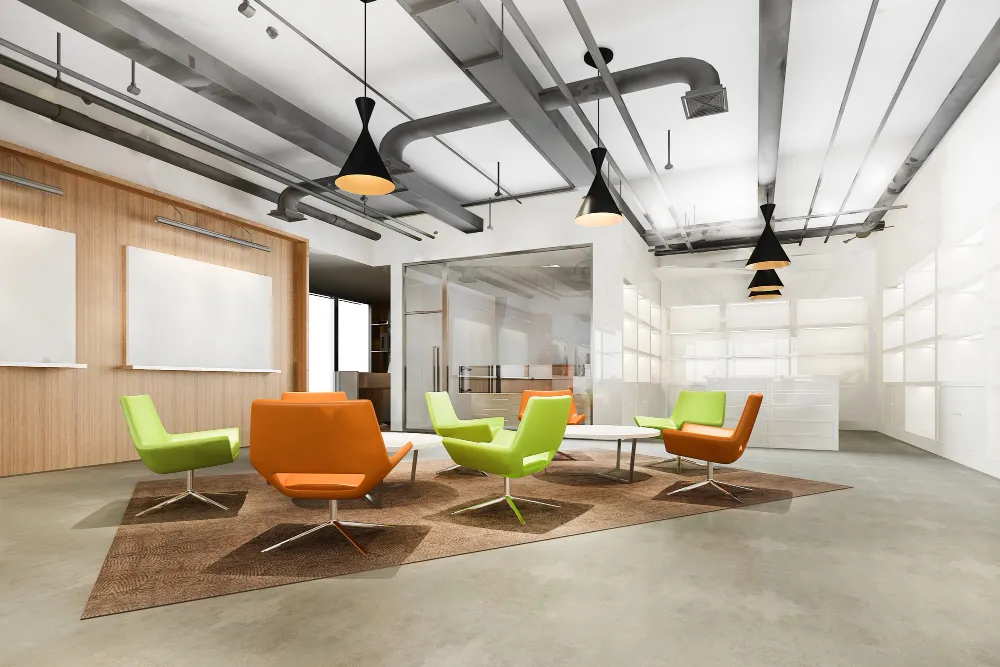
You’ve probably been in this situation: joining a meeting where half the participants can’t see the screen properly, the video call keeps dropping, someone’s presentation won’t display, and the air-conditioning makes it hard to hear. Meanwhile, the room itself looks professional enough – decent furniture, proper AV equipment, nothing obviously wrong. Yet somehow it doesn’t actually work well for meetings.
Meeting rooms fail for specific, fixable reasons. The problem is that most companies design meeting rooms based on how they look rather than how they’ll be used. Understanding common failure patterns helps you fix existing rooms or avoid these issues when designing new spaces.
The Audio Problems Everyone Ignores
Singapore offices love glass walls – they look modern but are highly reflective acoustically. Add glass walls, glass table tops, hard flooring, and drywall ceilings, and you’ve created an echo chamber where speech intelligibility drops significantly.
Add acoustic absorption strategically. Acoustic ceiling tiles or ceiling clouds above the table reduce reflections. Acoustic wall panels absorb sound without treating every surface. Carpet helps but isn’t always practical in Singapore’s climate. If keeping hard flooring, compensate with ceiling and wall treatments.
For video calls, speakerphones in table centers pick up every chair scrape and air-conditioning noise while missing distant voices. Ceiling-mounted microphone arrays provide better coverage. Air-conditioning vents aimed at tables create constant noise. Redirect vents or add diffusers.
Lighting That Actually Supports Video Calls
Most Singapore meeting rooms use uniform overhead lighting. This creates problems for video calls where faces need proper illumination. Overhead-only lighting casts shadows on faces, making people look tired on video. You need frontal lighting at face height – LED panels on the wall opposite where people sit or standing lamps with diffusers.
Backlighting creates silhouettes. If your room has a window behind where people sit, reorient seating so windows are to the side or add strong frontal lighting. Stick with consistent color temperature – mixing warm and cool creates odd skin tones on video.
Dimmable lighting gives flexibility. Full brightness for document review, moderate for video calls, dimmed for presentations. Even separate switches for different zones provides useful control.
Screen Placement and Viewing Angles
Many meeting rooms have screens mounted at one end of rectangular rooms. Everyone past the midpoint views the screen at sharp angles, making content hard to read during long meetings.
Screen placement should prioritize viewing angles over aesthetics. For longer rectangular rooms, consider mounting the screen on a long wall so participants sit facing it directly. Screen size needs to match room dimensions and seating distance. Many screens are too small for their room size.
Height matters. Screens mounted too high force uncomfortable neck angles. Center the screen at eye level for seated viewers. For hybrid meetings, cameras need to capture in-person attendees well. Cameras above screens create unflattering downward angles. Eye-level cameras beside or below screens work better.
Furniture Layouts That Defeat Their Purpose
Standard layouts put a rectangular table in the middle with chairs around it. This works for traditional meetings but fails for collaborative work sessions. Tables too large force chairs against walls, creating cramped feelings. Tables too small don’t provide adequate work surface. Allow at least 1200mm between table edge and wall for comfortable circulation.
Fixed arrangements prevent adapting rooms for different meeting types. Modular tables provide flexibility. Power and data access should match how people work. If everyone brings laptops, they need power access. Floor boxes, table-integrated power modules, or overhead cable management all work.
If you’re working with Design Bureau’s office interior design service in Singapore on meeting room design, discuss how your teams actually use meeting spaces rather than defaulting to standard layouts.
Climate Control That Serves the Room’s Function
Singapore’s climate means every meeting room needs air-conditioning, but many rooms are poorly zoned. They share thermostats with other spaces, leading to rooms that are too cold or too warm.
Meeting rooms benefit from dedicated air-conditioning zones. Occupancy affects temperature significantly – eight people in a small room generate substantial heat. Condensation problems emerge in poorly controlled spaces. Glass walls develop condensation when temperature differences are too large.
Air quality matters more in closed meeting rooms than open offices. Eight people in an enclosed space deplete oxygen and increase CO2. Your air-conditioning should provide adequate fresh air, not just recirculate cooled air.
Technology Integration That Actually Functions
Technology should enable meetings, not become the focus. Keep it simple. HDMI cables at the table that reliably connect to the display. Wireless presentation systems often create connectivity headaches. Have wired backup options.
Video conferencing equipment should be permanently installed and ready to use. Dedicated conference room systems eliminate most setup hassles. Your systems should work together smoothly or be simple enough to operate independently. Complex control systems requiring training fail once the person who knows them leaves.
Rooms That Accommodate Different Meeting Types
Not all meetings are the same. Small focused sessions need intimate spaces for three or four people. Large presentations need appropriate seating and AV setup. Brainstorming sessions benefit from writable surfaces and flexible arrangements.
Design for flexibility. Furniture that moves easily, writable surfaces on multiple walls, and technology supporting various modes provide adaptability.
Addressing Booking and Usage Issues
Sometimes meeting room problems aren’t about design but usage. Many offices have booking systems showing rooms constantly reserved while walking past reveals empty rooms.
Design can partially address this through visibility. Glass-walled rooms let people see whether occupied rooms are actually in use. This social pressure reduces no-show bookings. Technology solutions like occupancy sensors can automatically release unused reservations, but add complexity.
Sometimes you simply need more meeting space. Before adding rooms, verify existing rooms are well used. If your booking system shows full capacity but rooms sit empty, the problem is behavioral, not capacity.
Size and Number Considerations
Meeting room size should match actual typical meeting sizes, not aspirational maximums. A room designed for twelve but typically used by four wastes space.
Better to have more smaller rooms than fewer large ones. This provides flexibility and higher usage. Very small rooms – phone booth style – serve a different function but are often more useful for calls or focused work.
Practical Fixes You Can Implement
You don’t need to gut meeting rooms to fix common problems. Add acoustic treatment if echoes are issues. Improve lighting for video calls by adding frontal sources. Fix cable management and power access with surface-mounted channels or power poles. Upgrade video conferencing equipment if current systems create setup hassles. Reorganize furniture layouts to serve how the room is actually used.
Design Bureau or other design professionals can assess your specific problems and recommend targeted fixes, but understanding common failure patterns helps you identify issues yourself. Most problems have straightforward solutions once you understand what’s wrong.

